Bringing your favorite music, podcasts, and movie soundtracks to life at home often comes down to one crucial element: your speakers. Whether you’ve just bought a new speaker system, want to reconfigure your existing setup, or are simply wondering how to get the best sound from the speakers you already own, connecting them correctly can seem daunting. This article will demystify the process, offering practical, step-by-step guidance for everyday users to set up and connect their home audio speakers for optimal sound quality and an immersive listening experience.
Choosing the Right Connection: Wired vs. Wireless
Before you even plug anything in, understanding the two main ways speakers connect is vital: wired or wireless. Each has its pros and cons, especially concerning sound quality and ease of use.
Wired Connections: Traditional speaker setups use physical cables to transmit audio signals. These connections, typically via speaker wire, RCA cables, or optical cables, offer the most stable and generally highest-fidelity audio transmission. They are less prone to interference and don’t rely on Wi-Fi or Bluetooth strength. For critical listening or home theater systems, wired connections are often preferred. The main downside is the need to run and manage cables, which can sometimes be unsightly or restrictive in terms of placement.
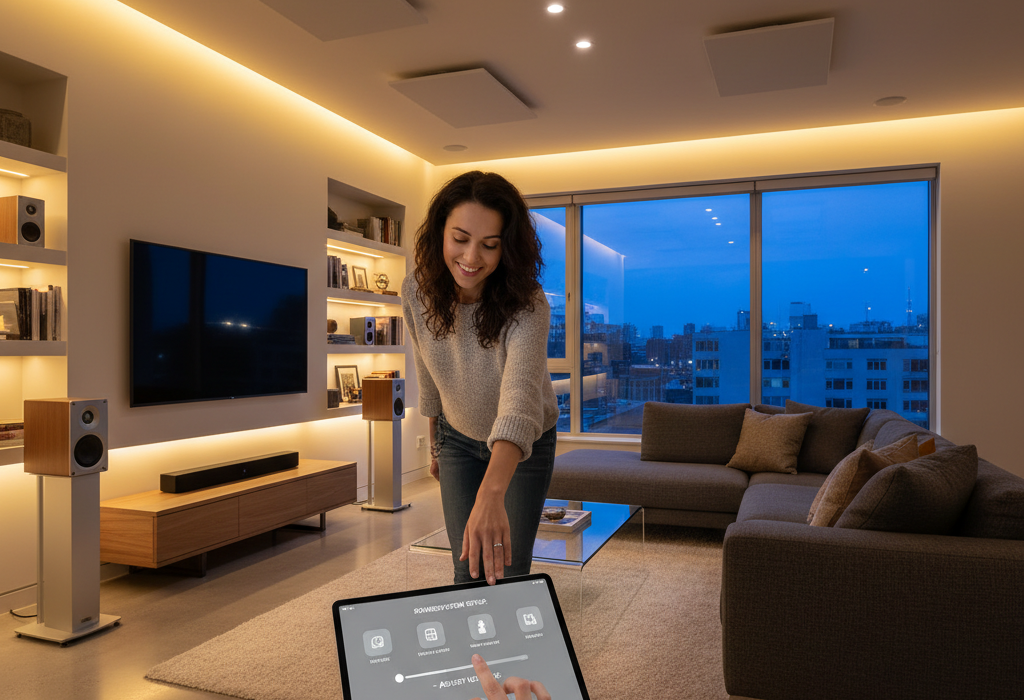
Wireless Connections: Bluetooth and Wi-Fi are the two most common wireless technologies for speakers. Bluetooth is excellent for convenience and portability, allowing you to connect a single speaker or a pair to a phone or tablet quickly. It’s often found in portable speakers and soundbars. Wi-Fi-enabled speakers, often part of multi-room audio systems (like Sonos or Google Home devices), connect to your home network. They generally offer higher audio quality than Bluetooth and a wider range, allowing simultaneous playback across multiple speakers in different rooms. The trade-off is potential signal dropouts if your Wi-Fi network is weak or congested, and some initial setup can be more involved.
Connecting Your Speakers: Step-by-Step
The specific steps depend on your speaker type and audio source, but the general principles remain the same.
For Wired Speakers (Traditional Stereo or Home Theater):
- **Identify Ports:** Look at the back of your amplifier, receiver, or audio source (e.g., TV, turntable preamp) and your speakers. You’ll usually see SPEAKER OUT terminals on the source and SPEAKER IN terminals on the speakers. These are often color-coded (red for positive, black for negative) or labeled (+/-).
- **Prepare Speaker Wire:** Cut your speaker wire to the desired length. For bare wire connections, strip about ½ inch of insulation from both ends of each wire, twisting the strands tightly to prevent fraying.
- **Connect Positive to Positive, Negative to Negative:** Carefully insert the positive (+) wire from your amplifier’s left channel into the positive (+) terminal of your *left* speaker. Do the same for the negative (-) terminals. Repeat this process for the right channel and right speaker. Consistency is key here; swapping positive and negative (called being “out of phase”) can lead to thin, weak, or distorted sound.
- **Secure Connections:** Ensure the wires are firmly seated in the terminals to prevent intermittent sound or short circuits.
- **Power On and Test:** Turn on your amplifier and audio source, select the correct input, and play some audio. Listen carefully to ensure both speakers are playing and the sound is clear.
For Wireless Speakers (Bluetooth or Wi-Fi):
- **Power Up:** Plug your wireless speaker into a power outlet and turn it on.
- **Enable Pairing Mode (Bluetooth):** For Bluetooth speakers, press and hold the Bluetooth pairing button (often indicated by a Bluetooth symbol) until you hear a chime or see a flashing indicator light.
- **Connect from Source:** On your smartphone, tablet, or computer, go to your Bluetooth settings and select the speaker from the list of available devices. For Wi-Fi speakers, open the manufacturer’s app (e.g., Sonos, Google Home) and follow the in-app instructions to connect the speaker to your home Wi-Fi network.
- **Test:** Play some audio from your device. You should hear it through your wireless speaker.
Optimal Placement and Common Mistakes to Avoid
Once connected, where you place your speakers significantly impacts sound quality. Here are a few practical considerations:
Speaker Placement: For stereo systems, aim to form an equilateral triangle between yourself and the two speakers. This means the distance between the two speakers should be roughly the same as the distance from each speaker to your listening position. Avoid placing speakers directly in corners or flush against walls, which can cause excessive bass buildup (a practical consideration known as “boundary gain”). Leaving some space behind and to the sides often results in a more balanced sound. Experiment with toe-in (angling speakers slightly inward) to find the sweet spot for your room.
Common Mistakes to Avoid:
- **Incorrect Wiring (Out of Phase):** As mentioned, ensure positive and negative terminals are matched consistently.
- **Loose Connections:** Wires that aren’t firmly secured can cause static, intermittent sound, or short circuits.
- **Over-Driving Speakers:** Playing music too loudly for extended periods, especially with an underpowered amplifier, can damage speakers (a practical consideration for durability and safety). Listen for distortion and turn down the volume if you hear it.
- **Ignoring Room Acoustics:** Hard surfaces like bare walls and floors can cause echoes; soft furnishings, rugs, and curtains can help absorb sound and improve clarity.
- **Obstructing Wireless Signals:** For wireless speakers, thick walls, other electronics, and distance can hinder signal stability (a practical consideration for signal stability). Ensure your Wi-Fi router is centrally located or consider range extenders if needed.
By understanding the different connection types, following straightforward setup steps, and being mindful of placement, you can dramatically improve your home audio experience. Enjoy the rich, clear sound you deserve!